
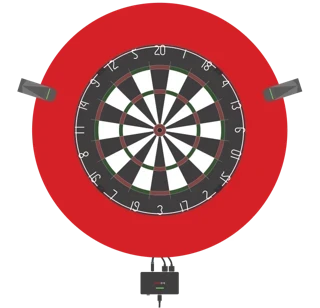


Connection issues
If the camera cannot read the QR code: How to adjust the focus
Issue Description
The camera cannot read the QR code
The camera LED remains
flashing redduring setup and does not change
Possible Cause of Issue
The GRAN EYE camera has a structure that allows focus adjustment by rotating the lens.
Therefore, when removing the lens cap, the lens may rotate slightly, causing the focus to shift.
If the focus is off, the QR code cannot be recognized properly.
Solutions
Focus Adjustment Procedure
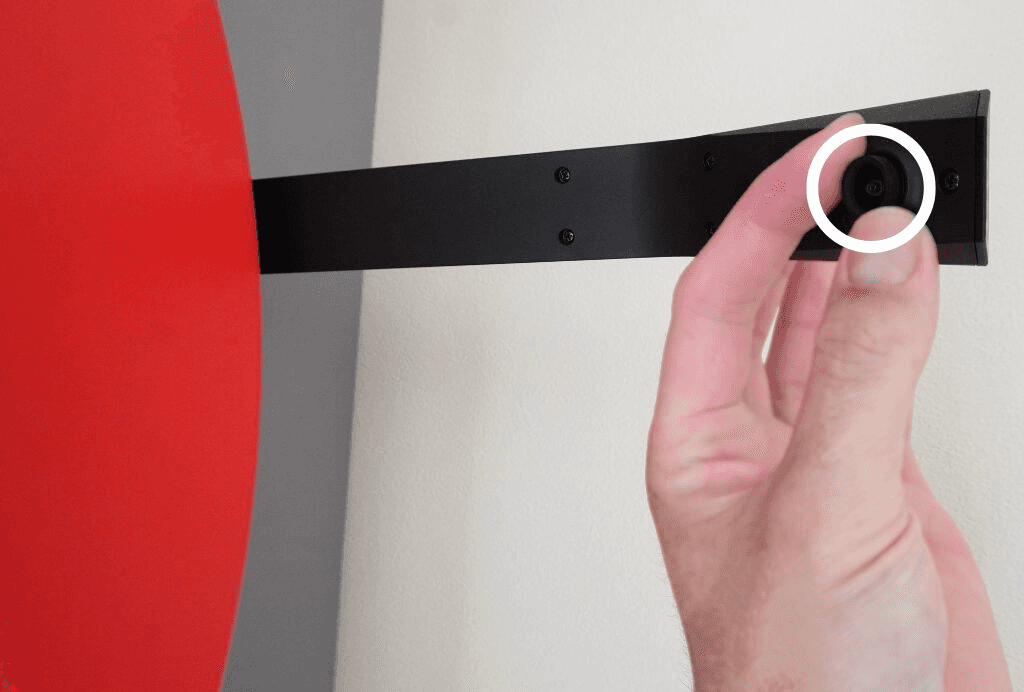
Rotate the lens clockwise and tighten it until there is no gap between the lens and the body.
From there, slowly loosen it 1-2 turns counterclockwise.
Point the QR code toward the camera and try scanning it while moving it closer and farther away.
If it does not scan, gradually loosen the lens (counterclockwise) and hold the QR code up again.
When scanning is successful, the camera LED will flash green.
You can also check the procedure in the following video: https://youtu.be/6ZJyHzQxhbA
Tips if it doesn't work
Set the screen brightness to maximum on the device displaying the QR code
Turn OFF the device's night mode/blue light filter
Point the camera directly at the QR code and minimize hand shake
Gradually adjust the distance, as it may not scan if too close or too far away
If the issue persists
If you are unable to read the QR code after trying the above steps, please contact support with the following information so we can assess the situation:
A short video showing your attempt to scan the QR code (make sure the camera LED is visible)
The model name of the device you are using (iPhone/Android/tablet, etc.)
Your Wi-Fi SSID (confirm whether you are using 2.4GHz)