



GranDarts App
Play with friends and family
Overview
When playing with family or friends, only Guest Players can be used, making it difficult to tell who is throwing.
Family and friends also want to play using their own names and icons, and keep track of their scores.
Solution
Please use the guest entry feature. Using the guest entry feature allows:
Guests to participate using their own player name and icon
Game results to be saved to each individual's account
This makes multiplayer gaming more comfortable.
About Guest entry
This feature allows players (hosts) logged into the Gran Darts app to temporarily log in other players' (guests) accounts, enabling them to play together within the same app using each player's data.
Using this feature makes it easy to invite family or friends with accounts managed on separate devices to join the game.
Applications used and their roles
Role | Explanation |
|---|---|
Host | The main player. Connects to the board and invites guests. |
Guest | Players who temporarily join the host's application. They use their own player data. |
Guest Entry Procedure
【Host Operations】
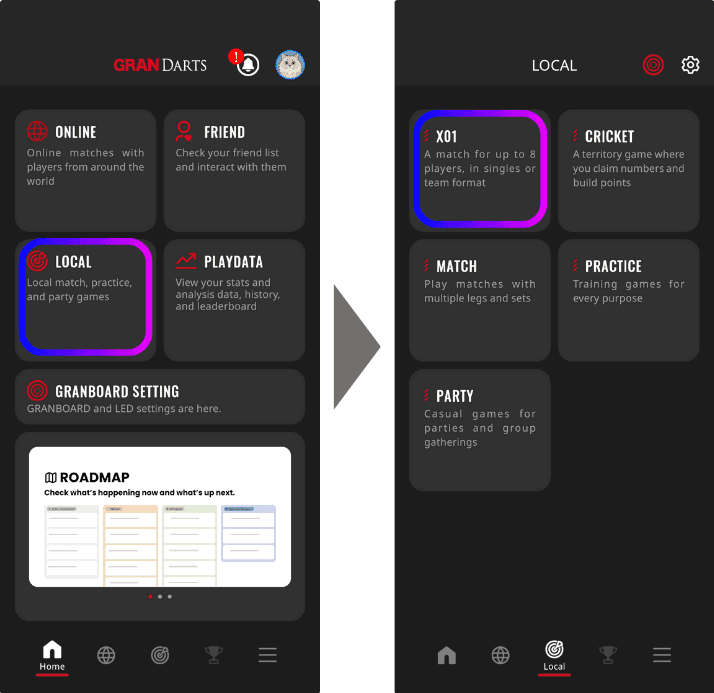
1. Launch the Gran Darts App and select "Local Game".
2. Tap the + icon under Guest Player and display the "Guest Entry QR Code”.
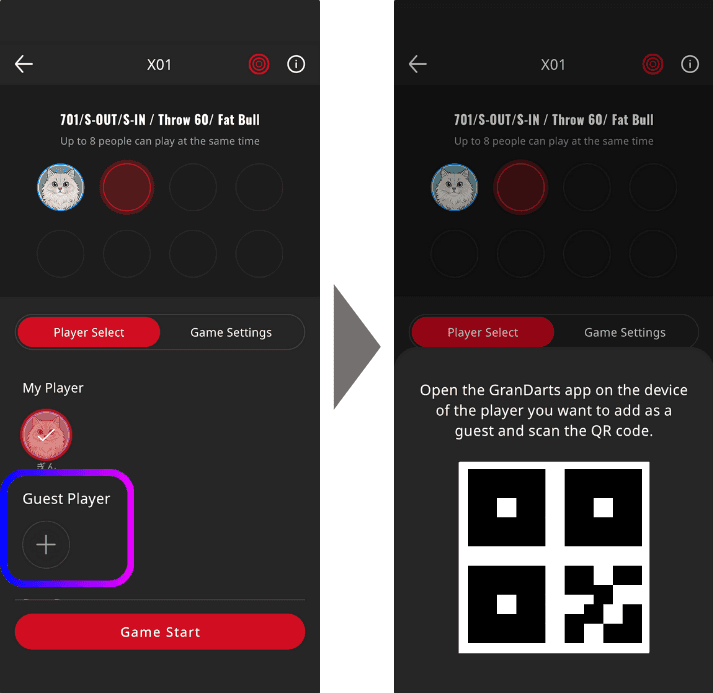
This completes the host-side preparations.
→ Guests can complete their entry by scanning this QR code.
【Guest-side operation】
1. Install the GranDarts App on your smartphone
"Register a new account" or "Log in”
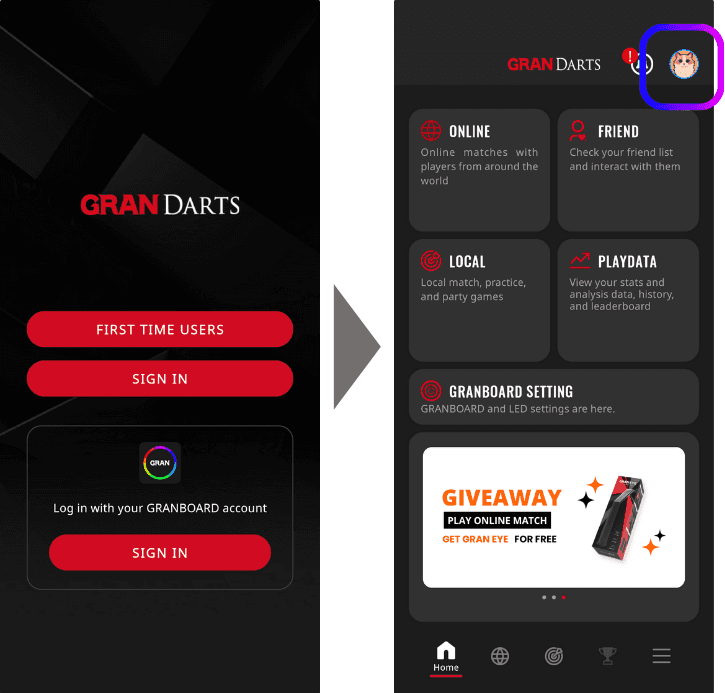
Tap the Icon in the top right corner of the screen
2. Launch the QR code scanner and scan the host's QR code.
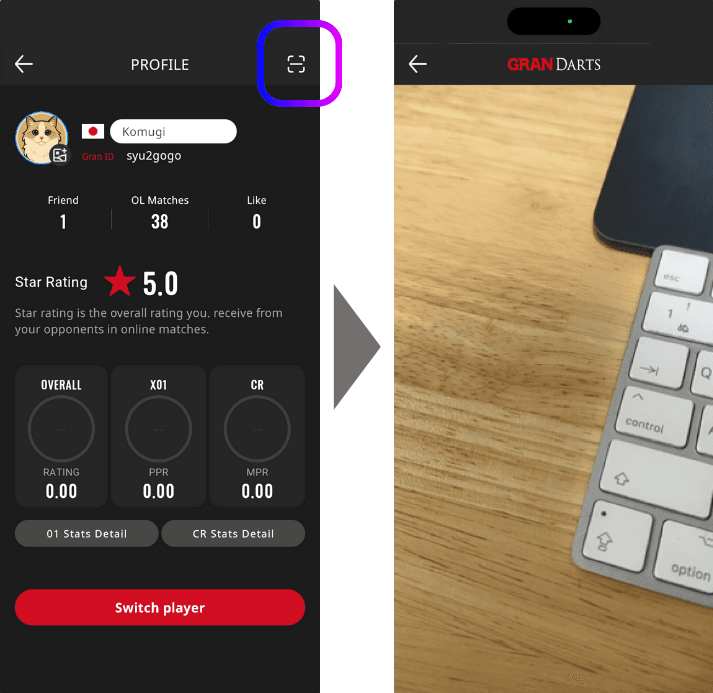
3. Scan the host's QR code
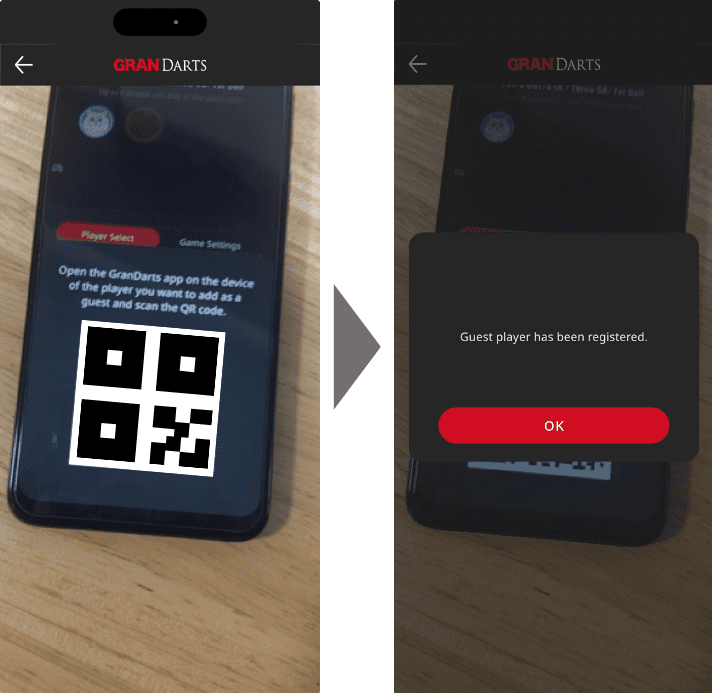
Regarding post-play data
When playing together via guest entry, each player's score and play data will be saved to their respective accounts.
Host → Recorded to their own account within the GranDarts App
Guest → Recorded to their own account within the GranDarts App
Therefore, scores will be saved accurately even between accounts managed on separate devices.
Points to Note
Guest entry removal must be performed on the host's device. Please ensure you do not forget to remove the guest.
Frequently Asked Questions
Q. How many guests can be added? → The maximum number of guests that can be added to the guest list is 8.
Q. What happens if a guest is not logged in? → Even if they are not logged in, they can be used as a player on the host's device.