日本語

How to Adjust Focus

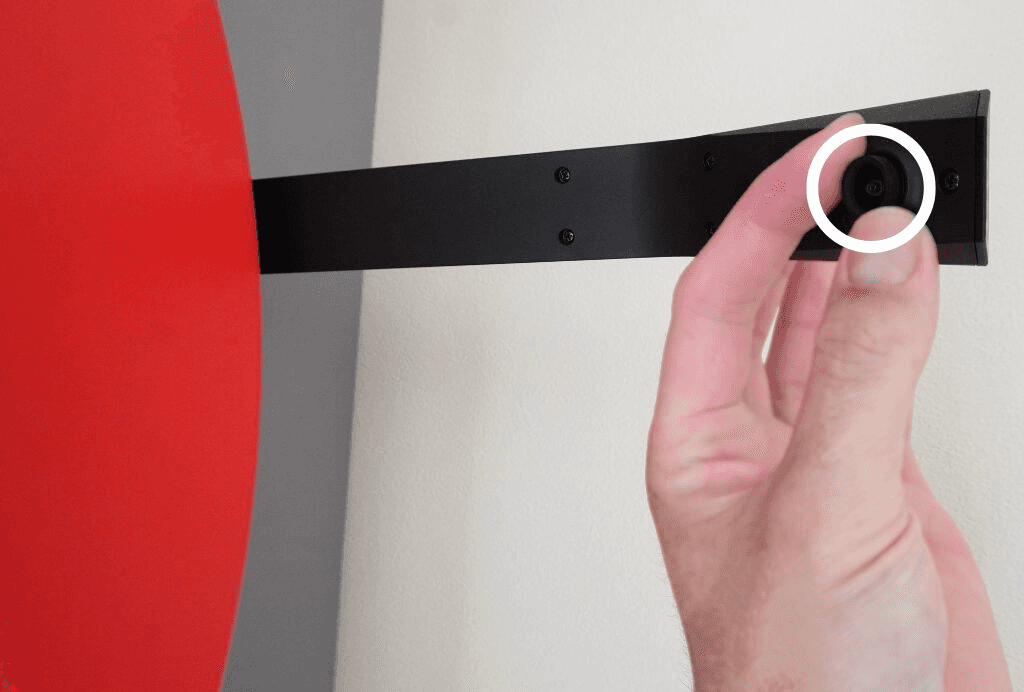
You can adjust the focus by rotating the lens ring.


How to adjust focus before scanning the QR code

  1. Turn the lens clockwise until there is no gap between the lens and the camera body.

  2. Then slowly loosen it by turning it counterclockwise 1–2 full rotations.

  3. Hold the QR code up to the camera and try moving it closer and farther until it scans.

  4. If it does not scan, slightly loosen the lens and try scanning the QR code again.

  5. When the scan succeeds, the camera LED will blink green.


Adjusting focus while viewing the camera feed

Before the device and camera are connected, you cannot adjust the focus while viewing the video feed.

Please follow the steps above to set the focus.

After the connection is complete, you will be able to adjust the focus while viewing the feed in the app.

You can adjust the focus by rotating the lens ring.


How to adjust focus before scanning the QR code

  1. Turn the lens clockwise until there is no gap between the lens and the camera body.

  2. Then slowly loosen it by turning it counterclockwise 1–2 full rotations.

  3. Hold the QR code up to the camera and try moving it closer and farther until it scans.

  4. If it does not scan, slightly loosen the lens and try scanning the QR code again.

  5. When the scan succeeds, the camera LED will blink green.


Adjusting focus while viewing the camera feed

Before the device and camera are connected, you cannot adjust the focus while viewing the video feed.

Please follow the steps above to set the focus.

After the connection is complete, you will be able to adjust the focus while viewing the feed in the app.