How to Participate
Introduction
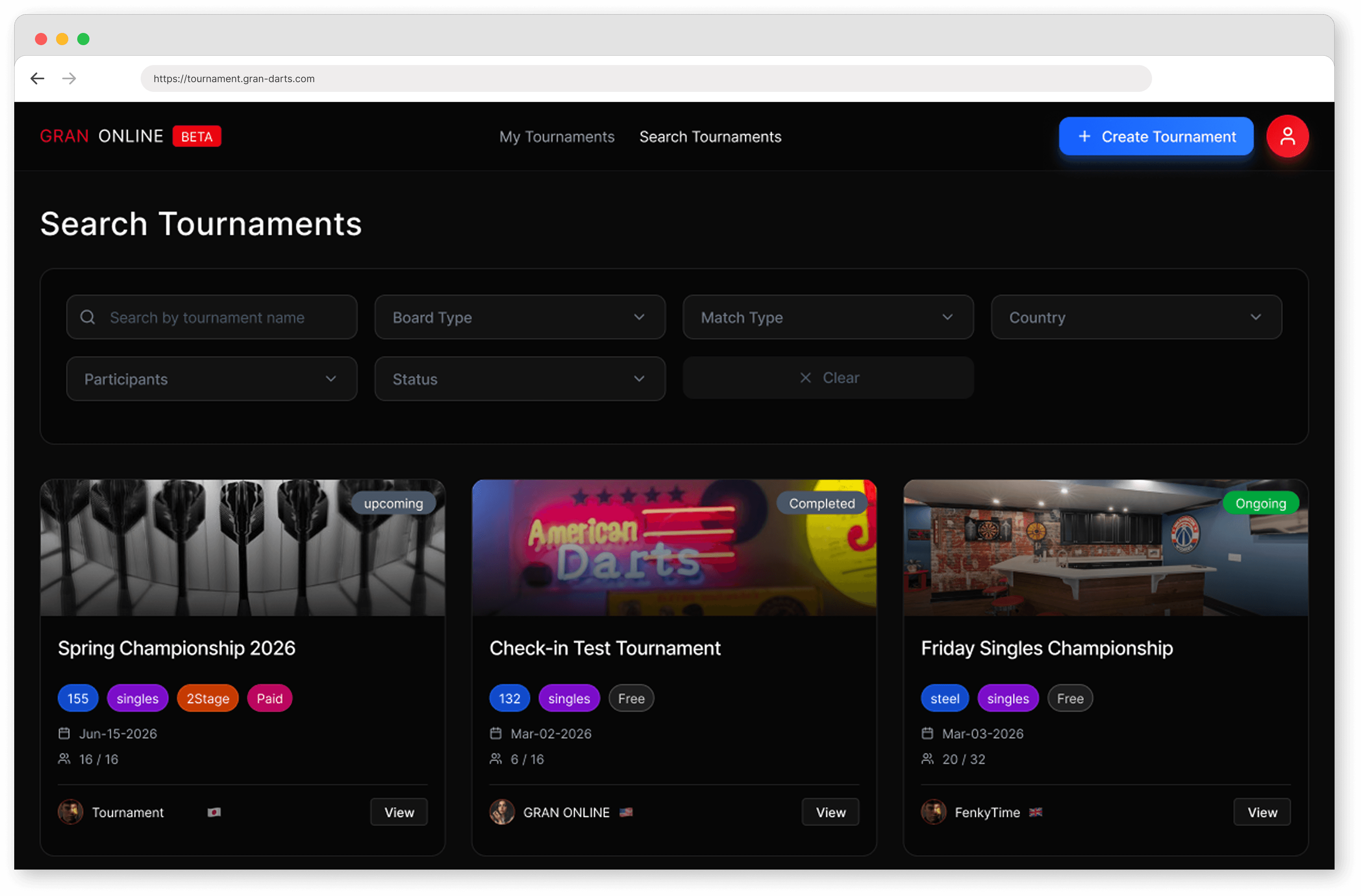
To create / join / check tournament progress
Visit the GRAN ONLINE website
https://tournament.gran-darts.com/
To play your matches
Use the GranDarts app

Tournaments are free to join, and you can enter as many as you like.
Training solo is great—but if you want that real tournament atmosphere, jump in and join a few!
Join a tournament
1. Log in
Log in to GRAN ONLINE:
https://tournament.gran-darts.com/
Use the same email address and password as your GranDarts app account.
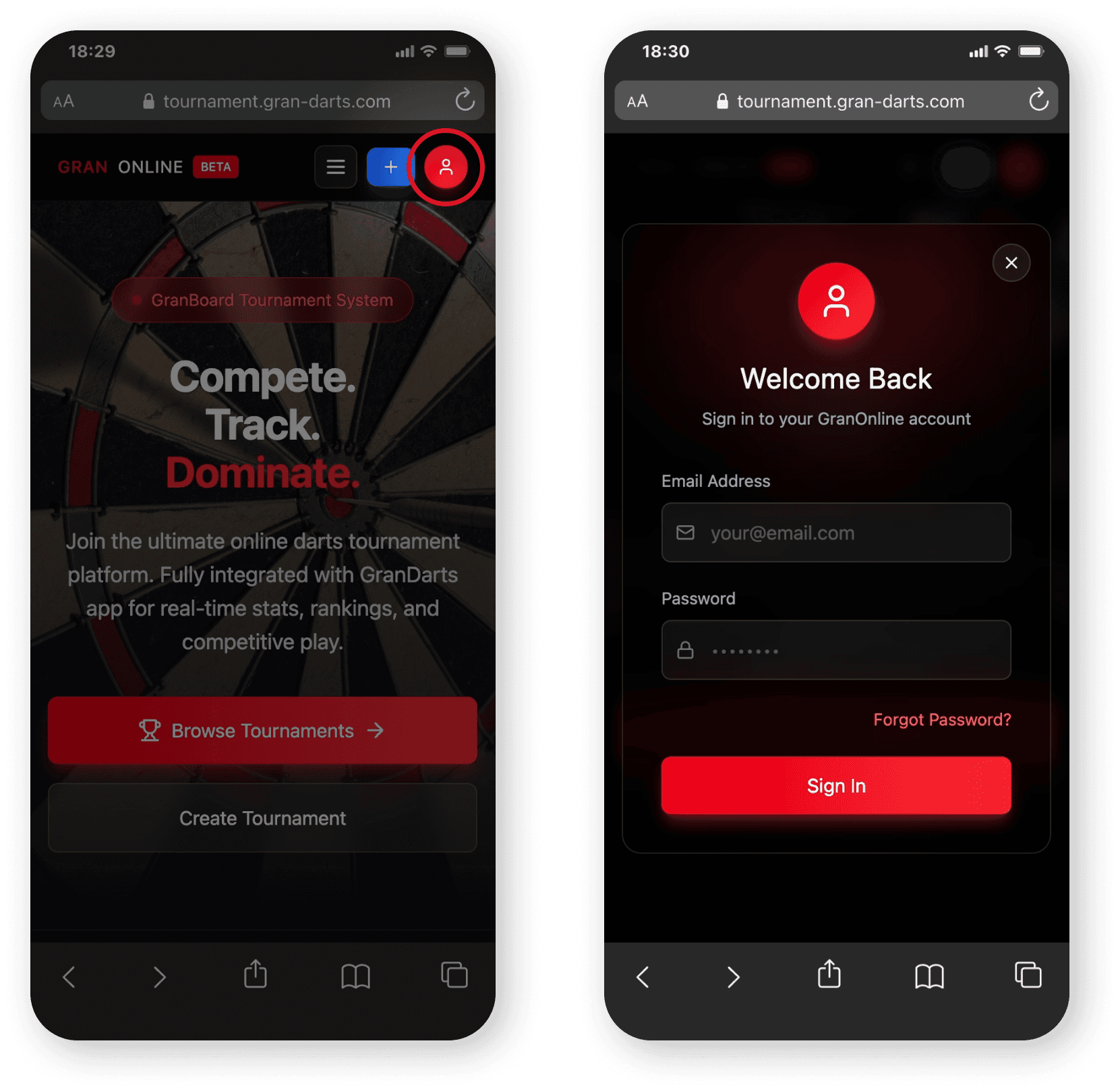
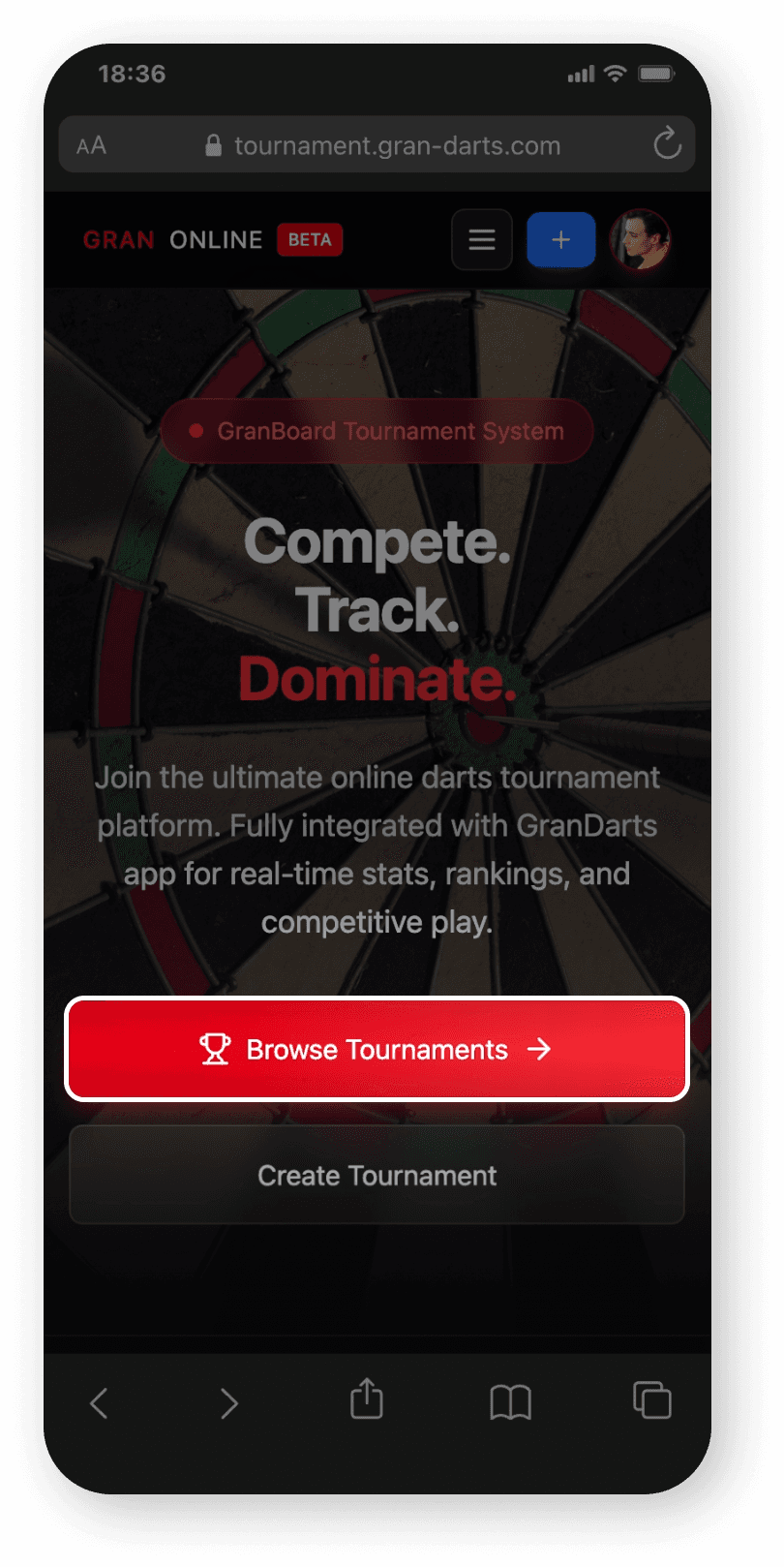
2. Browse tournaments
Go to the tournament list by tapping Browse Tournament.
3. Find a tournament you like
All available tournaments are listed here.
Use the View button to quickly check details like the schedule and rules.
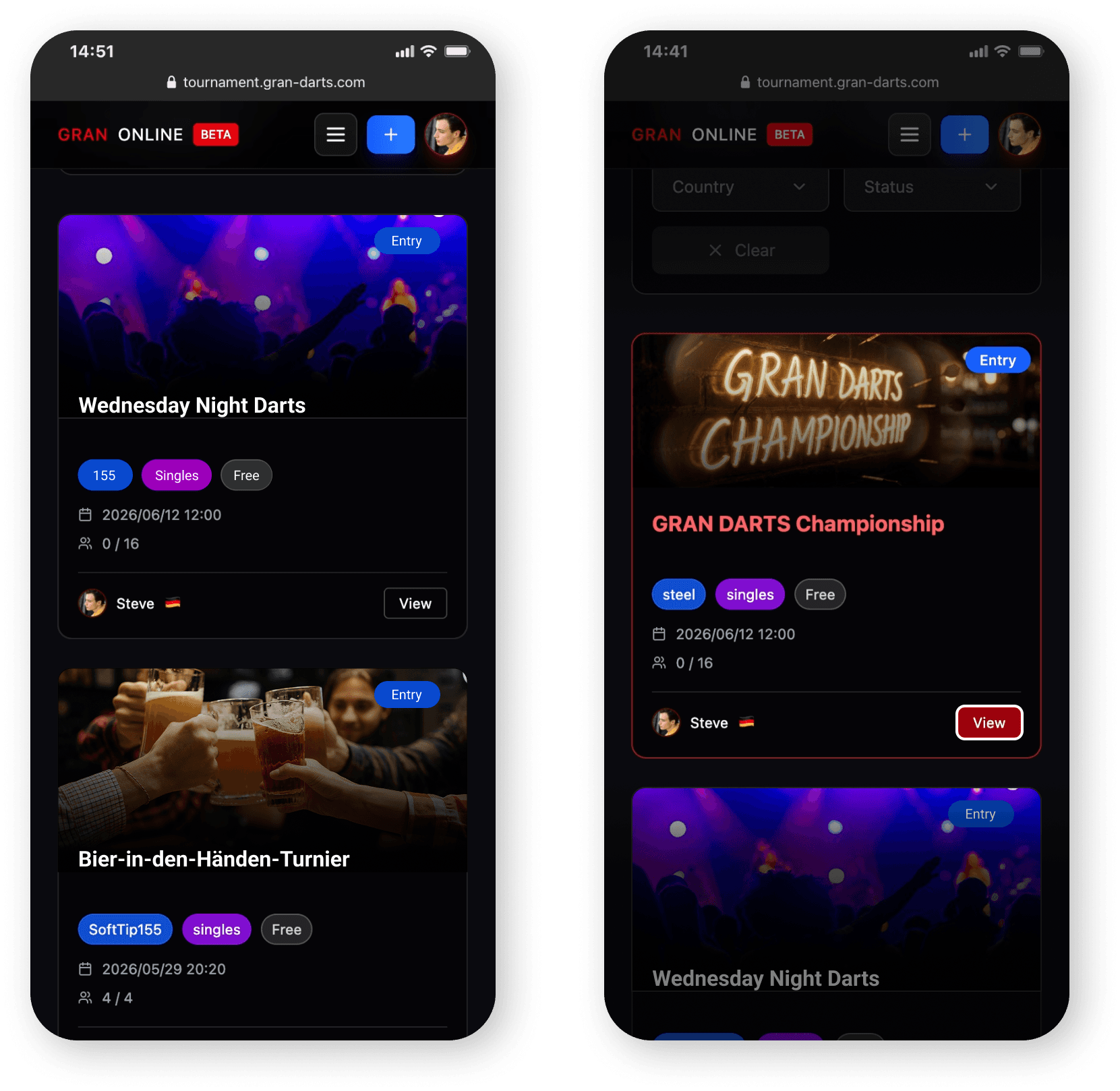
4. Enter the tournament
Once you’ve found a tournament you want to join, tap Entry
If you don’t meet the entry requirements, an error will appear. Please check the conditions/settings and try again.

How matches work
As the start time approaches, keep the GranDarts app open.
This helps you catch match card updates and notifications more easily.
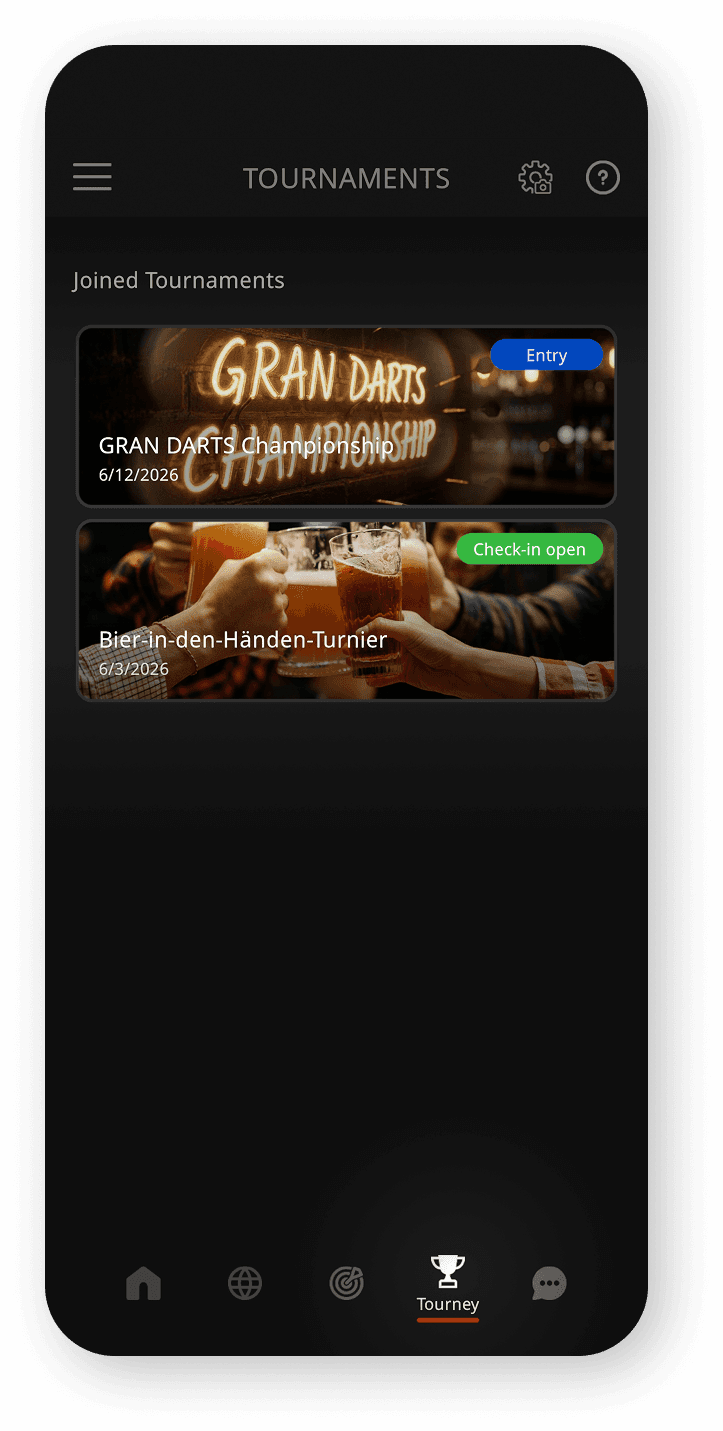
Open the Tournament tab
Go to the Tournament tab in the GranDarts app.
You’ll see a list of tournaments you’ve joined.
If you have not entered any tournaments, nothing will be displayed. Enter a tournament on GRAN ONLINE!
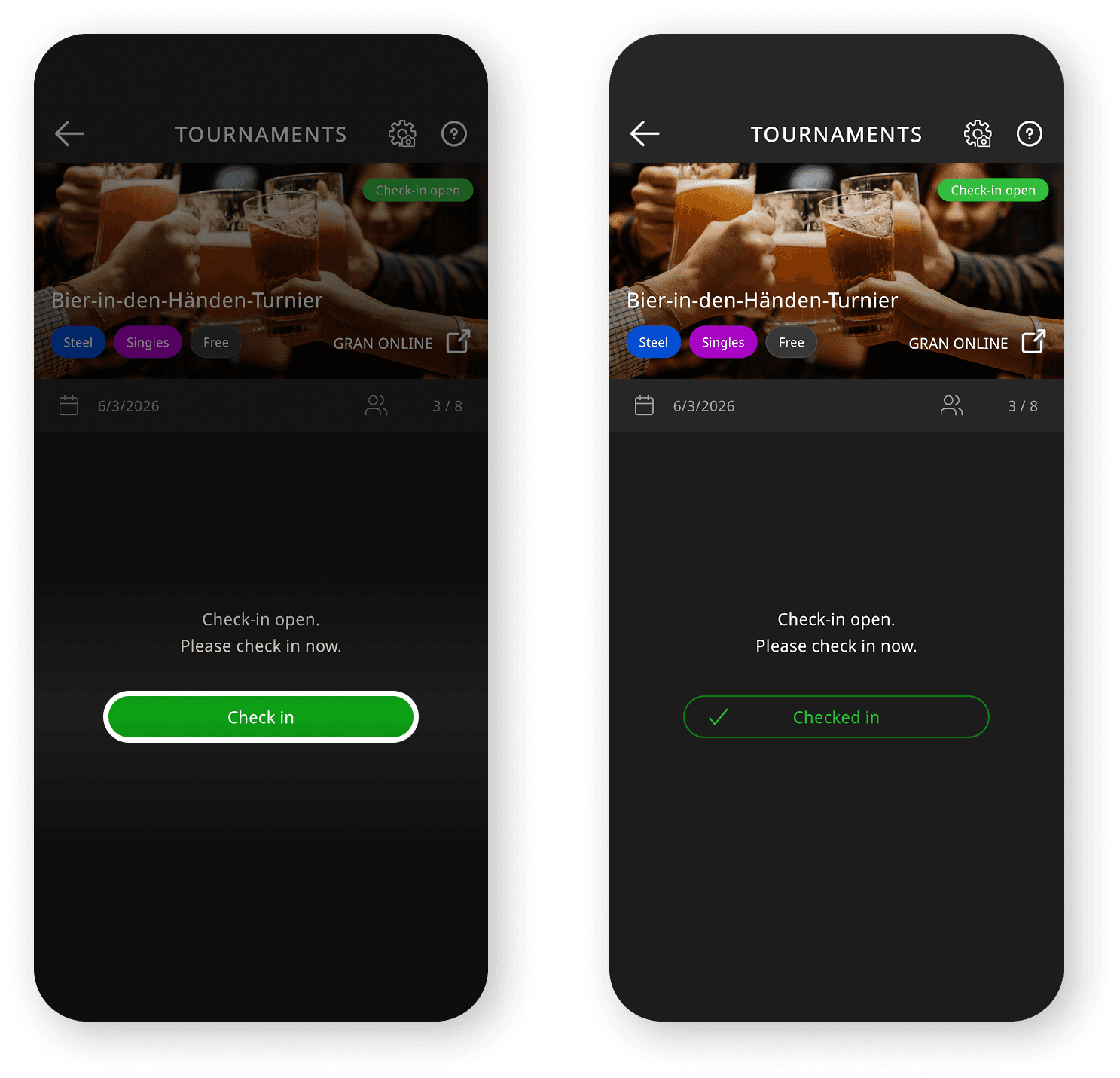
Check in
When check-in becomes available, make sure to check in. This lets the organizer confirm attendance.
Wait for your match card
Wait until your opponent and match card are confirmed.
⚠️ you won’t receive tournament notifications while actively playing Local/Online games.
Enter the Waiting Room
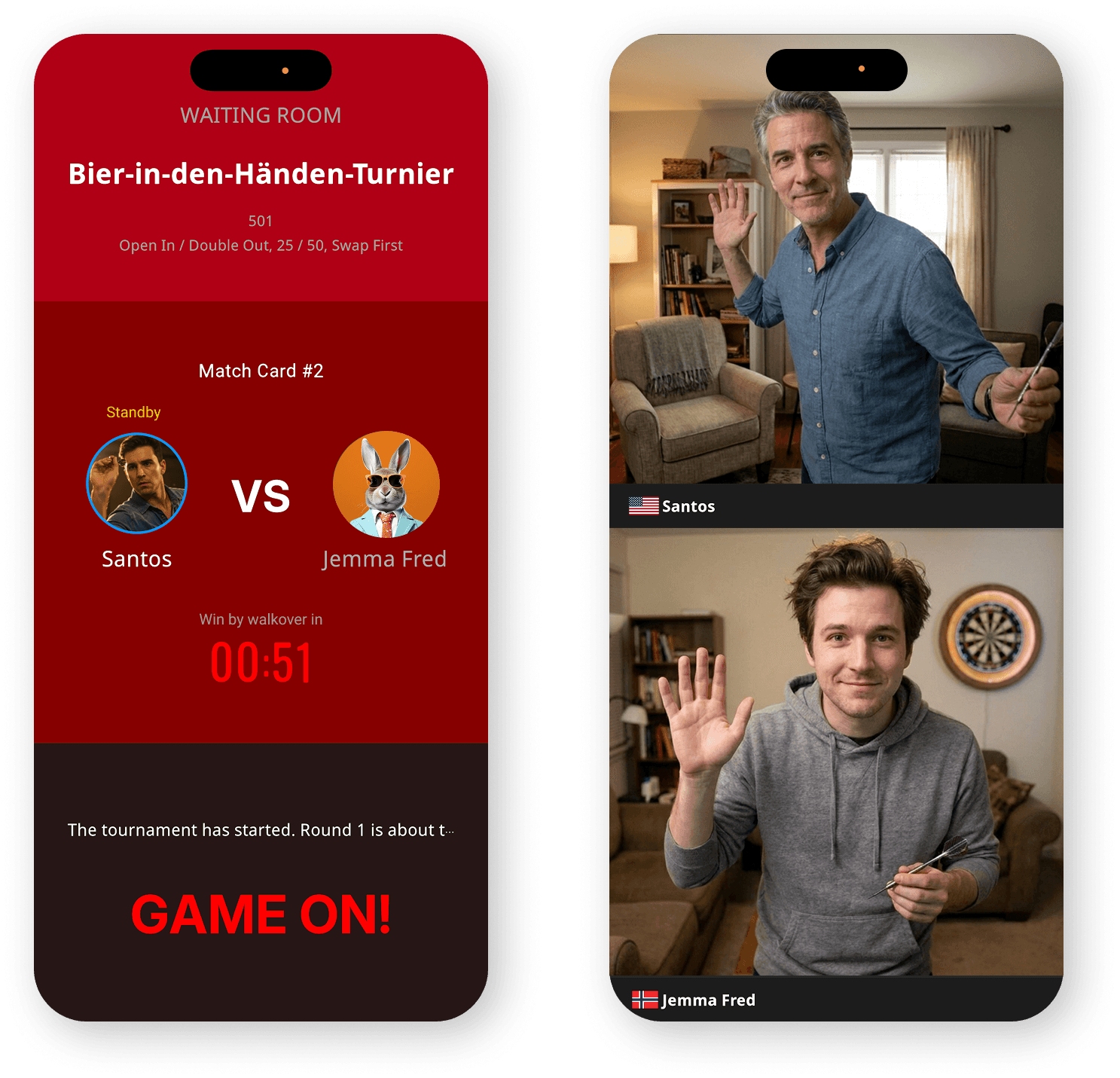
Once a match card is issued, enter the Waiting Room and wait for your opponent.
You can play a quick 01 game while you wait—perfect for warming up.
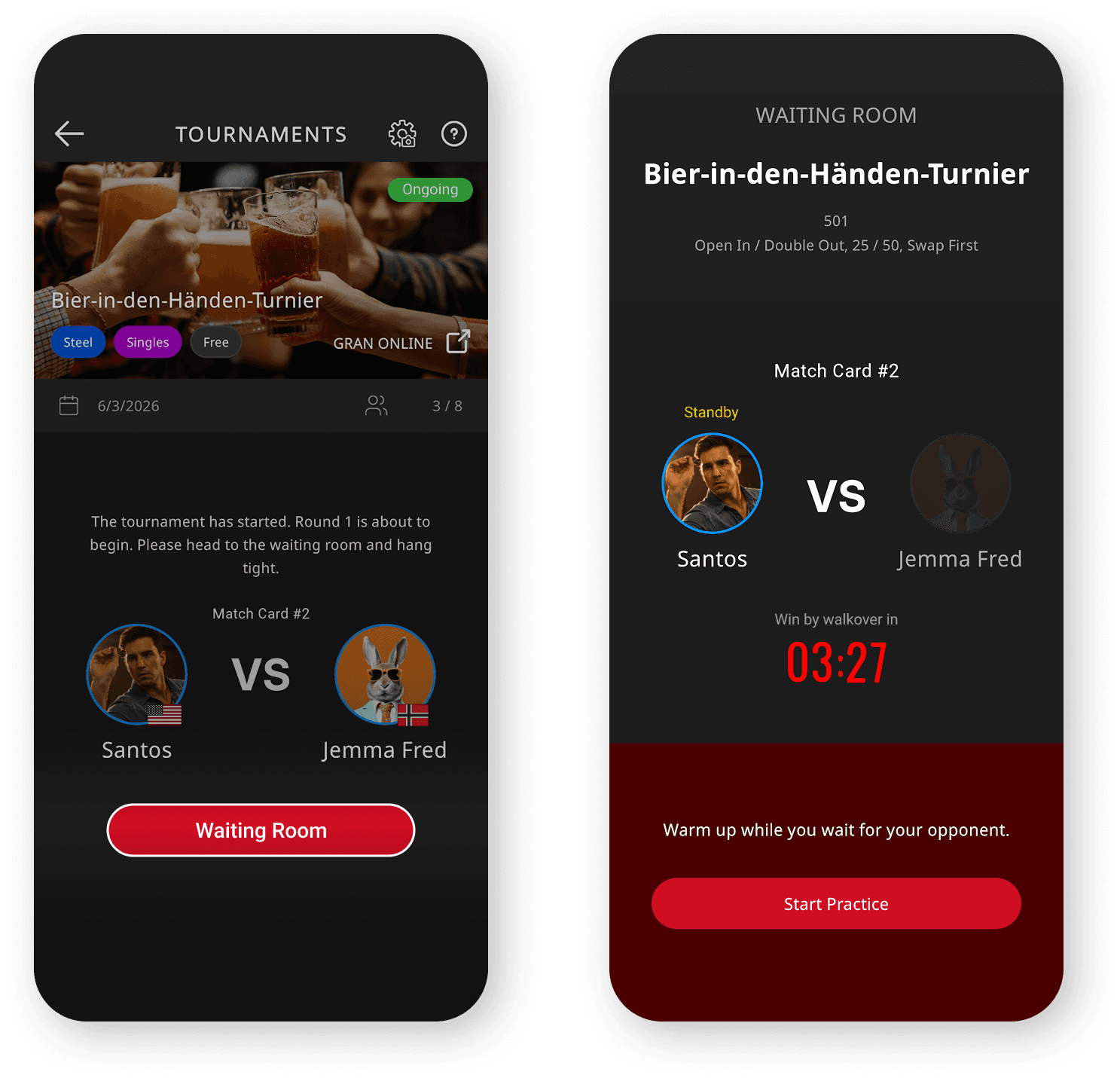
Start the match
When both players are in the Waiting Room, the match will begin.
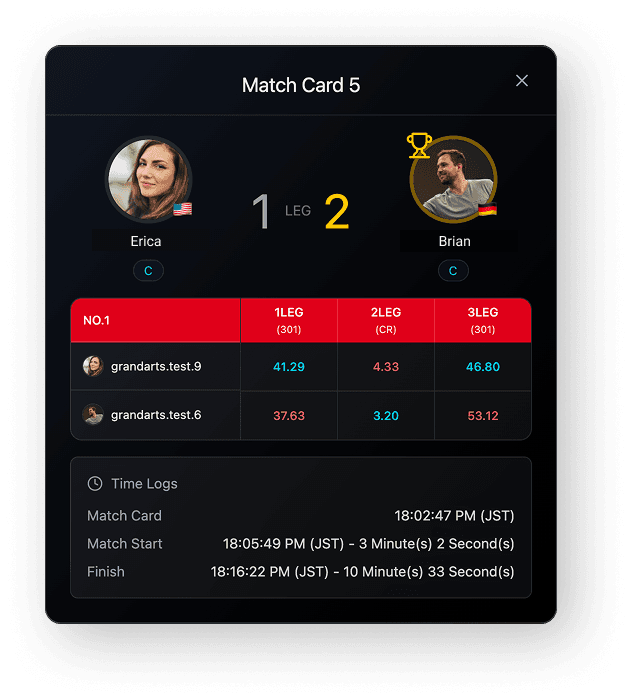
Results are reflected automatically
After the match ends, results are reflected automatically. On the GRAN ONLINE website, you can also view match-by-match result details.
If you have another match coming up, you’ll generally follow the same steps again.
Useful features for participants
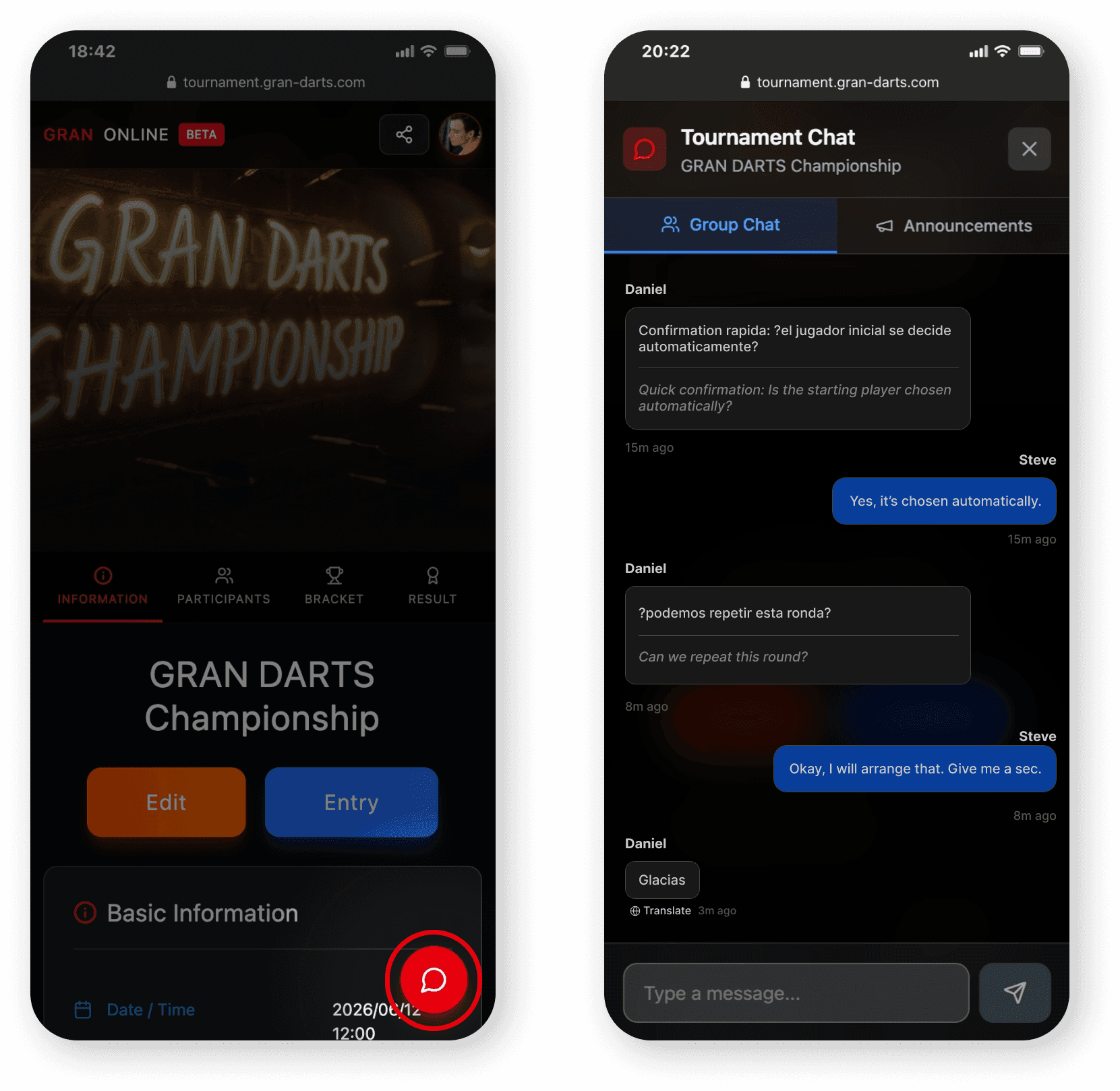
Tournament group chat
Each tournament has a dedicated group chat for participants.
Use it for greetings before matches, coordinating progress, and quick communication.
Check the results
After the tournament ends, you can view the final standings and results on the Results page.
Join the tournament now!
Tournaments bring a different kind of tension than regular online matches.
The climb through the bracket feels like a real competition—and it’s a whole new way to enjoy your games.
Join a variety of tournaments and enjoy competing with players from around the world!
◼︎ Join a tournament on GRAN ONLINE!
https://tournament.gran-darts.com/
Introduction
To create / join / check tournament progress
Visit the GRAN ONLINE website
https://tournament.gran-darts.com/
To play your matches
Use the GranDarts app
Tournaments are free to join, and you can enter as many as you like.
Training solo is great—but if you want that real tournament atmosphere, jump in and join a few!
Join a tournament
1. Log in
Log in to GRAN ONLINE:
https://tournament.gran-darts.com/
Use the same email address and password as your GranDarts app account.
2. Browse tournaments
Go to the tournament list by tapping Browse Tournament.
3. Find a tournament you like
All available tournaments are listed here.
Use the View button to quickly check details like the schedule and rules.
4. Enter the tournament
Once you’ve found a tournament you want to join, tap Entry
If you don’t meet the entry requirements, an error will appear. Please check the conditions/settings and try again.
How matches work
As the start time approaches, keep the GranDarts app open.
This helps you catch match card updates and notifications more easily.
Open the Tournament tab
Go to the Tournament tab in the GranDarts app.
You’ll see a list of tournaments you’ve joined.
If you have not entered any tournaments, nothing will be displayed. Enter a tournament on GRAN ONLINE!
Check in
When check-in becomes available, make sure to check in. This lets the organizer confirm attendance.
Wait for your match card
Wait until your opponent and match card are confirmed.
⚠️ you won’t receive tournament notifications while actively playing Local/Online games.
Enter the Waiting Room
Once a match card is issued, enter the Waiting Room and wait for your opponent.
You can play a quick 01 game while you wait—perfect for warming up.
Start the match
When both players are in the Waiting Room, the match will begin.
Results are reflected automatically
After the match ends, results are reflected automatically. On the GRAN ONLINE website, you can also view match-by-match result details.
If you have another match coming up, you’ll generally follow the same steps again.
Useful features for participants
Tournament group chat
Each tournament has a dedicated group chat for participants.
Use it for greetings before matches, coordinating progress, and quick communication.
Check the results
After the tournament ends, you can view the final standings and results on the Results page.
Join the tournament now!
Tournaments bring a different kind of tension than regular online matches.
The climb through the bracket feels like a real competition—and it’s a whole new way to enjoy your games.
Join a variety of tournaments and enjoy competing with players from around the world!
◼︎ Join a tournament on GRAN ONLINE!
https://tournament.gran-darts.com/